


If you’ve been in the RC hobby for more than a decade or two, chances are you have a soft spot for the Robbe F14. It’s a beast. A navy-blue brick of reliability that was the gold standard for boat modelers and truckers for years. It had that distinct feel—the heavy switches, the modular expansion bays that let you add enough knobs and sliders to control a small spaceship.
But let’s be real. That long, telescoping antenna is a hazard. And sticking with 40MHz or 35MHz in today’s world? It’s risky. Interference is everywhere, and let’s not even talk about the pain of frequency crystals.
That is exactly why the robbe f14 2.4ghz upgrade is such a hot topic right now. It’s not just about modernization; it’s about preservation. It’s about keeping this beautiful piece of German engineering relevant in a world dominated by cheap, plastic radios that just don’t feel the same.
I did this conversion myself last winter on an F14 Navy I picked up at a swap meet. It was intimidating at first, but honestly? It’s one of the most rewarding DIY projects you can do. Let’s walk through what this actually involves.
Why Bother Upgrading an Old Radio?
You might be asking, “Why not just buy a new FlySky or FrSky and call it a day?”
Valid question. New radios are feature-packed. But they lack soul. The Robbe F14 was designed for expansion. If you are into RC trucking or scale battleships, you need those multi-switch modules. You need to turn on lights, drop anchors, sound horns, and rotate cranes. Modern radios bury these functions in digital menus. The F14 puts them on physical switches.
Plus, the ergonomics of a tray radio (pult-sender) are unmatched for long sessions. Upgrading to 2.4GHz gives you the interference-free lock of modern tech with the tactile control of the 90s. It’s the best of both worlds.
The Options: How Do We Do This?
When looking at a robbe f14 2.4ghz upgrade, you generally have two main paths. The “Hack” method and the “Plug-and-Play” method.
1. The Plug-and-Play Route (Servonaut or FrySky)
If you aren’t comfortable with a soldering iron, this is your lane. Companies like Servonaut (popular with the trucking crowd) make dedicated 2.4GHz modules specifically for the F14/F16 series.
You essentially open the case, unplug the old crystal module, and plug the new board into the designated pins. You might have to drill a small hole for the new 2.4GHz antenna (the little stubby one), but that’s about it. It’s clean, it’s safe, and it keeps the original electronics intact.
2. The DIY “Hack” Module (FrSky DHT or Corona)
This is what I did. It’s cheaper, and frankly, more fun.
You use a “hack module” like the FrSky DHT (if you can still find them) or the Corona DIY kit. These modules just need three things:
- Power (V+)
- Ground (GND)
- PPM Signal
The F14 is beautiful because identifying these pins is easy. You tap into the trainer port or the main board pins where the old RF module sat. You solder three wires, mount the new antenna, and stick the binding button somewhere accessible.
The beauty of the DIY route is that you can often keep the old 40MHz system active. I installed a simple toggle switch on my F14. Flip it up, I’m on 2.4GHz. Flip it down, I’m back on 40MHz for my vintage submarine (since 2.4GHz signals can’t penetrate water).
If you are looking for specific wiring diagrams, the folks over at RC Groups have threads going back ten years detailing every possible connection point. It’s a goldmine.
The Multi-Switch Problem
Here is the one “gotcha” you need to know about.
The Robbe F14 was famous for its Multi-Switch and Multi-Prop modules (those extra banks of switches). These work by manipulating the PPM signal in a specific way.
When you do a robbe f14 2.4ghz upgrade, you have to be careful. Some cheap 2.4GHz systems are too slow to “read” that complex Multi-Switch signal. They just see it as noise and your switches won’t work.
If keeping those 16 extra switches working is priority number one, you need a system known to handle “multiswitch protocols.”
- Servonaut Zwo4: Guaranteed to work, but pricey.
- FrSky: Usually works well, but sometimes requires specific receivers.
- Jeti Duplex: The Rolls Royce option. flawless, but expensive.
If you just need the standard 4 sticks and maybe two sliding channels, almost any cheap DIY module will work fine.
The Process: A Quick Walkthrough
I’m not going to write a technical manual here, but here is the vibe of the installation.
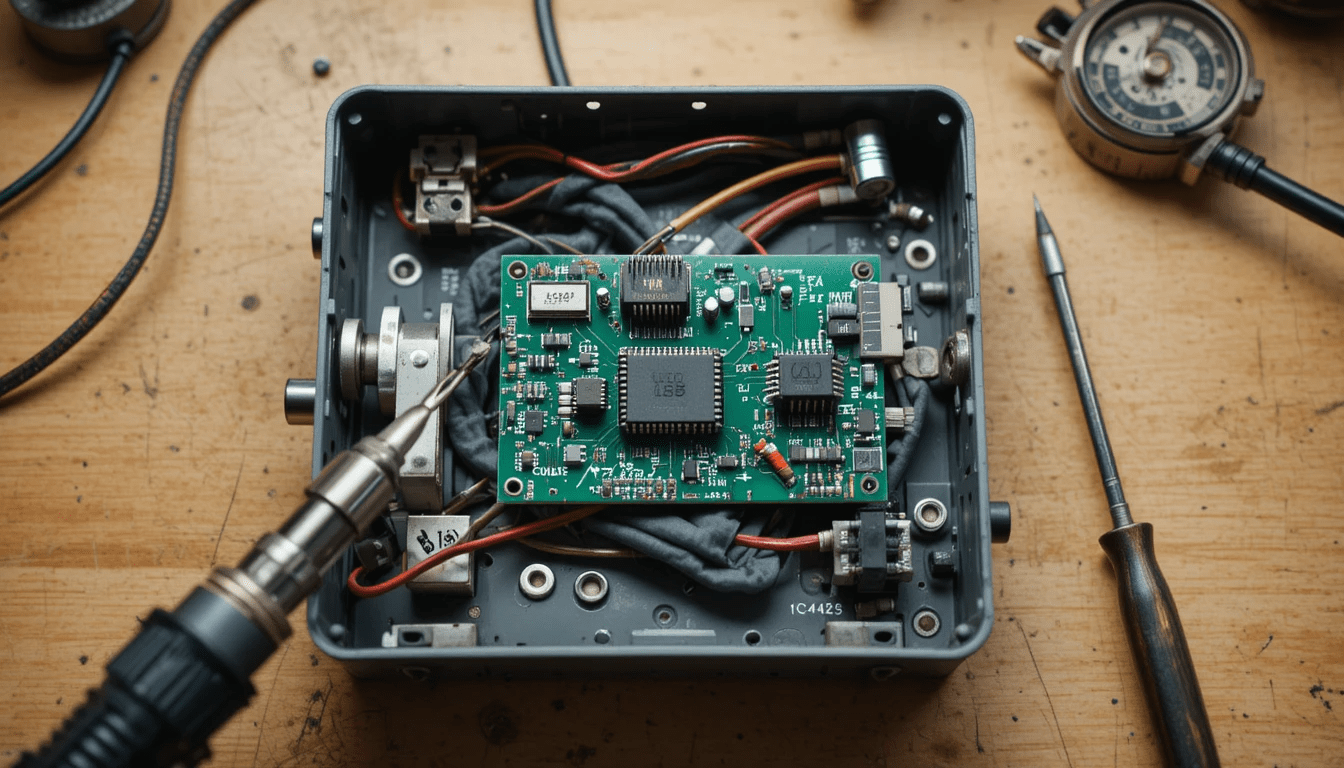
You crack open the back of the case—just two plastic tabs (be gentle, plastic gets brittle with age). The inside of an F14 is surprisingly empty. It’s mostly air. This gives you plenty of room to mount your new module.
I used double-sided foam tape to stick my Corona module to the bottom of the case. I routed the antenna wire up to one of the empty switch holes on the top plate. I didn’t want to drill into the original plastic if I didn’t have to.
The scariest part? Cutting the wire to the battery voltage meter. I wanted the needle to show the battery level regardless of which frequency I was using, so I had to re-route some power. But once you see that red LED on the new module light up for the first time… it’s a good feeling.
Is It Safe?
Absolutely. In fact, it’s safer than the original.
2.4GHz hops frequencies. If someone else turns on a radio nearby, your F14 won’t glitch out and send your expensive Tamiya semi-truck careening into a curb. The connection is locked in.
Plus, the power consumption of modern 2.4GHz modules is tiny compared to the old RF decks. Your battery lasts way longer. I charge my transmitter maybe three times a year now.
For a deeper dive into how radio frequencies actually work in RC, r/RadioControl is a great place to ask questions without getting too bogged down in engineering math.
FAQs
Will the upgrade work with my existing servos?
No. You will need to swap out the receiver in your model for a 2.4GHz receiver that matches your new module. The servos themselves (the motors that move the wheels/rudder) are fine, but the box they plug into needs to change.
Can I still use the F14 for submarines after the upgrade?
Only if you keep the 40MHz capability. 2.4GHz signals stop about 2 inches underwater. If you are a sub captain, install a switch to toggle between the old and new bands.
Is soldering required?
Only for the cheaper DIY modules. If you buy a “plug-and-play” kit like the ones from Servonaut, it’s usually just screwdrivers and plugs.
Does the upgrade ruin the value of the radio?
Actually, it usually increases it. A working, converted F14 is highly sought after by scale modelers who want reliability without giving up the vintage layout.
Final Thoughts
The Robbe F14 is a legend. It deserves to be used, not sitting on a shelf gathering dust.
Performing a robbe f14 2.4ghz upgrade feels like restoring a classic car. You are keeping the vintage body and the style, but you are putting a modern engine under the hood. Whether you are driving a 1/14 scale Scania truck or piloting a complex tugboat, having that big blue box in your hands just feels right.
So grab a module, heat up the soldering iron (or just your credit card), and get that old girl back out to the field. She’s got plenty of years left in her.
