


So, you’ve finally got that brilliant idea for a website. Maybe it’s a blog about vintage cameras, an online store for your handmade jewelry, or just a portfolio to show off your design skills. You have the domain name picked out (hopefully), but then you hit a wall. Hosting.
You start Googling, and suddenly you’re drowning in acronyms. VPS, Cloud, Dedicated, Shared… it’s like reading a manual for a spaceship when all you want to do is ride a bicycle.
If you’ve stumbled upon resources like https://informetecnologico.com/blog/tipos-de-hosting-existen-actualmente, you’re already on the right track. But let’s be real—tech jargon can be dry. Let’s break this down into actual human language, using analogies that make sense, so you don’t end up paying for a Ferrari when all you needed was a reliable sedan.
The “Real Estate” Analogy
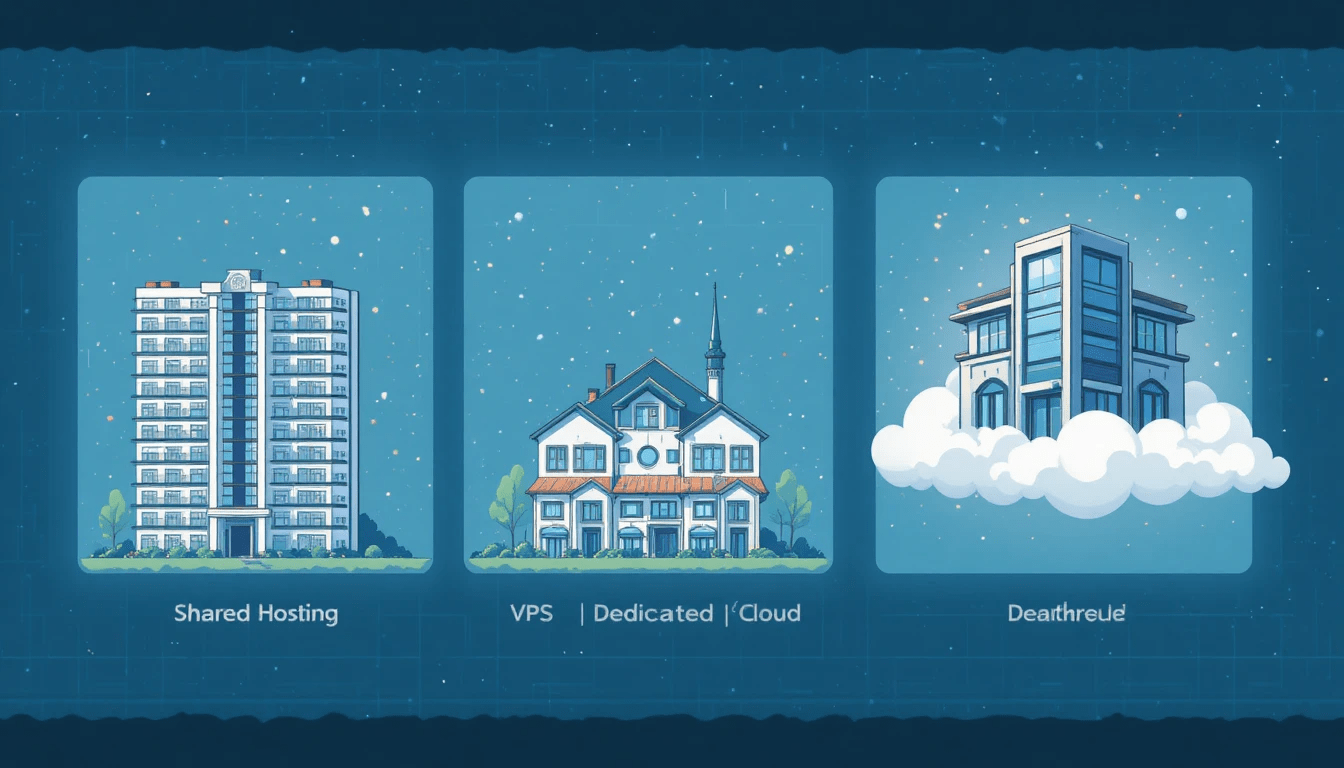
Here is the best way to understand web hosting: think of it as renting space for your digital house. Your website is the furniture and the decorations, but you need a plot of land or a building to put it in.
Depending on your budget and how many visitors (guests) you expect, you’ll need different kinds of living arrangements. That is essentially what the article at https://informetecnologico.com/blog/tipos-de-hosting-existen-actualmente covers, but let’s walk through the neighborhood ourselves.
1. Shared Hosting: The College Dorm
Imagine a college dormitory. You have your own room, sure. But you are sharing the bathroom, the kitchen, the hallway, and the Wi-Fi with 50 other people.
This is Shared Hosting.
- The Good: It is incredibly cheap. We’re talking the price of a coffee per month. It’s perfect for beginners.
- The Bad: If the guy in room 304 decides to throw a massive party (aka another website on your server gets a huge spike in traffic), the whole building slows down. The hot water runs out. Your site loads slower.
If you are just starting a personal blog or a small local business site, this is where you start. Don’t overthink it.
2. VPS (Virtual Private Server): The Condo
Okay, so you’ve outgrown the dorm. You want more privacy. You move into a Condo complex.
This is VPS Hosting.
Technically, you are still in the same building as other people (the same physical server). But now, you have your own dedicated slice of the pie. You have your own kitchen and bathroom. If the neighbor throws a party, you might hear some bass through the walls, but your water pressure won’t drop.
VPS is the sweet spot for growing businesses. You get more control and better performance without the massive price tag of owning the whole building.
3. Dedicated Hosting: The Mansion
Now you’ve made it. You are rich (or at least, your website is receiving millions of visitors). You buy a standalone house on a hill, fenced off from everyone else.
This is Dedicated Hosting.
You rent the entire physical server. No neighbors. No sharing resources. You can paint the walls whatever color you want, install a hot tub, and blast music at 3 AM.
- The Reality Check: Most people do not need this. It’s expensive and requires you to know how to maintain the house (server management). Unless you are running a massive e-commerce site or a high-traffic app, this is overkill.
For a deeper technical breakdown of server specs, sites like TechRadar offer great comparison charts that complement the basics.
4. Cloud Hosting: The Hotel Network
This is the modern one. It’s a bit different.
Imagine you are staying in a hotel. But if your room gets too small, the hotel instantly expands your walls. If the power goes out in your room, you are instantly teleported to another identical room in a different wing that has power.
Cloud Hosting uses a network of servers. Your site isn’t just on one computer; it’s floating across many.
- Why it wins: It’s scalable. If your post goes viral on Reddit and 50,000 people visit your site in one hour, the cloud simply expands to handle the load. You pay for what you use. It’s flexible, reliable, and honestly, where most of the web is heading.
Which One Do You Actually Need?
Reading through guides like https://informetecnologico.com/blog/tipos-de-hosting-existen-actualmente, you might feel pressured to get the “best” one. But “best” is relative.
I had a client once, a photographer. She insisted on getting a Dedicated Server because she wanted her portfolio to be “fast.” She ended up paying 150amonthforaserverthatwasusingabout120 a month, and her site was actually faster because it was optimized better.
Here is a quick cheat sheet:
- Hobby/New Blog: Shared Hosting.
- Small Business/Online Store: VPS or solid Shared Hosting.
- Viral Media/Big E-commerce: Cloud or Dedicated.
If you are unsure about the technical requirements, WPBeginner is a fantastic resource for understanding what WordPress specifically needs to run smoothly.
FAQs
Can I switch hosting types later?
Absolutely. In fact, you should. Start small with Shared Hosting. When your site starts making money or slowing down due to traffic, ask your host to upgrade you to a VPS. It’s usually a one-click process for them.
Why is Cloud Hosting so popular right now?
It’s the reliability. With traditional hosting, if the server crashes, your site dies. With cloud, since your data is on multiple servers, if one fails, another picks up the slack immediately. No downtime.
Is free hosting worth it?
Short answer: No.
Long answer: Only if you don’t care about your site. Free hosts often put ads on your site, have terrible speeds, and can delete your data without warning. If you’re serious, pay the $3 a month.
What does the URL imply about current hosting trends?
The link highlights “actualmente” (currently). This is key because hosting changes. Ten years ago, “Cloud” wasn’t really a mainstream option for small sites. Now it is. Staying updated on current types is crucial so you don’t buy outdated tech.
Final Thoughts
Choosing a host feels like a big commitment, like signing a lease. But the internet is fluid. The most important thing is to just start.
Don’t let analysis paralysis stop you from launching. Go to https://informetecnologico.com/blog/tipos-de-hosting-existen-actualmente, read up on the details, pick a plan that fits your budget today, and worry about upgrading when you have too many visitors to handle. That’s a good problem to have.
